Next section
Nureva® HDX series BETA
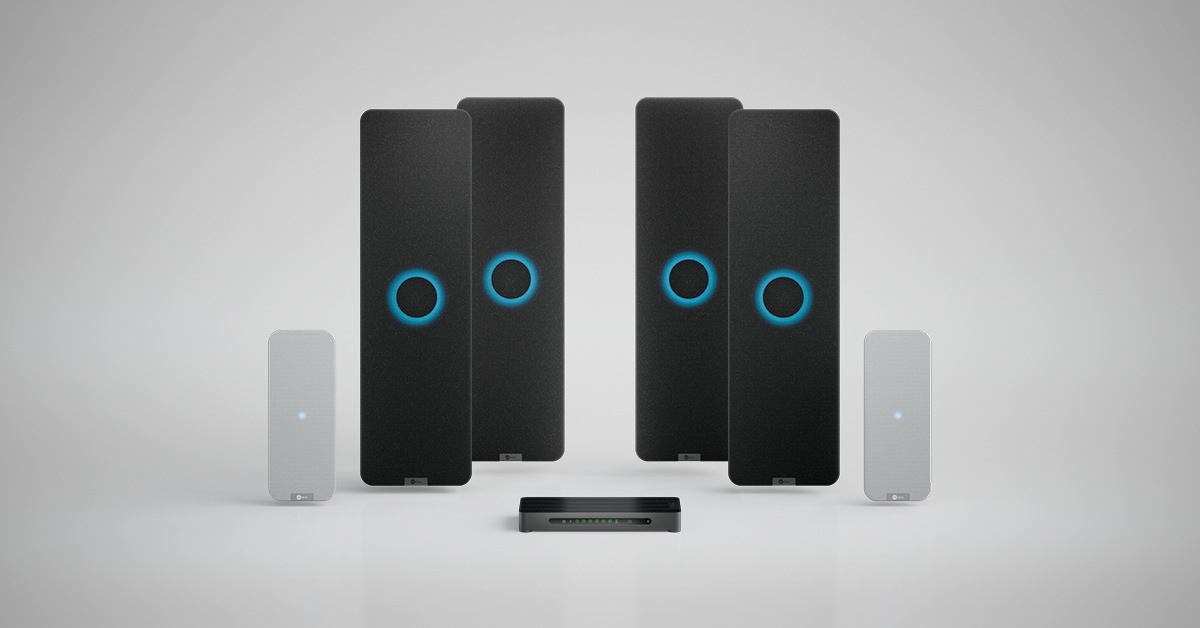
The HDX user guide is in three parts. This first section provides a general overview of the Nureva HDX audio series, including its components, configurations, features and tools used for configuration and management.
Introduction
The Nureva HDX series delivers adaptive large-room audio with revolutionary intelligence, automation and simplicity. With five flexible system configurations, HDX meets the audio needs of spaces up to 2,400 square feet (223 square meters).
With patented Microphone MistTM technology, HDX fills a room with thousands of virtual microphones, ensuring all voices are heard.
Here are some of the things HDX can do:
- Full-range distributed audio — Uses multiple loudspeakers to evenly distribute full‑range sound across the space for all listeners. The system intelligently adapts to provide voice clarity for meetings and rich, immersive sound for multimedia.
- Adaptive Voice Lift — Automatically augments in-room voices so they can be heard clearly and naturally throughout large spaces, without dedicated presenter or audience microphones. One-way lift is available today for presenters within a defined speaking area, with a future release planned for full-room voice lift that will support anyone speaking anywhere in meeting and collaboration spaces. Recommended in rooms longer than 40' (12.2 m).
- Adaptive Voice Amplification — Allows instructors and presenters to use external microphones to amplify their voices so they can be heard clearly throughout the room. At the same time, full-room microphone pickup is maintained for remote conferencing and streaming.
- Full-room microphone coverage — Enables people in the room to be heard naturally and clearly by remote participants, even when they move around in the space or the room configuration changes. This is made possible with Microphone Mist technology and the unified coverage map, which combines multiple physical arrays into a single giant microphone array.
- Assistive listening with AuracastTM broadcast audio — Delivers always-available assistive listening with built-in Auracast broadcast audio. There’s no extra hardware or complexity involved, as the feature works seamlessly with participants’ own devices (e.g., earbuds, headphones, hearing aids and hearables). The HDX system hub comes with Bluetooth® LE Audio, enabling one-to-many broadcasts.
- Conference calls on UC&C platforms — Connects to any UC&C platform (including Microsoft® Teams, Zoom, Google MeetTM and Cisco Webex®).
Components
The HDX series offers five modular configurations, with options depending on the room size and features needed. The main components are the system hub, the audio bar (two or four) and the optional microphone pod (one or two). Each system also includes a remote control as well as remote management and monitoring tools in the Nureva App and cloud-based Nureva Console.
HDX is designed with sustainability in mind, combining durable construction, responsible material choices and energy-efficient features that help reduce environmental impact.
System hub
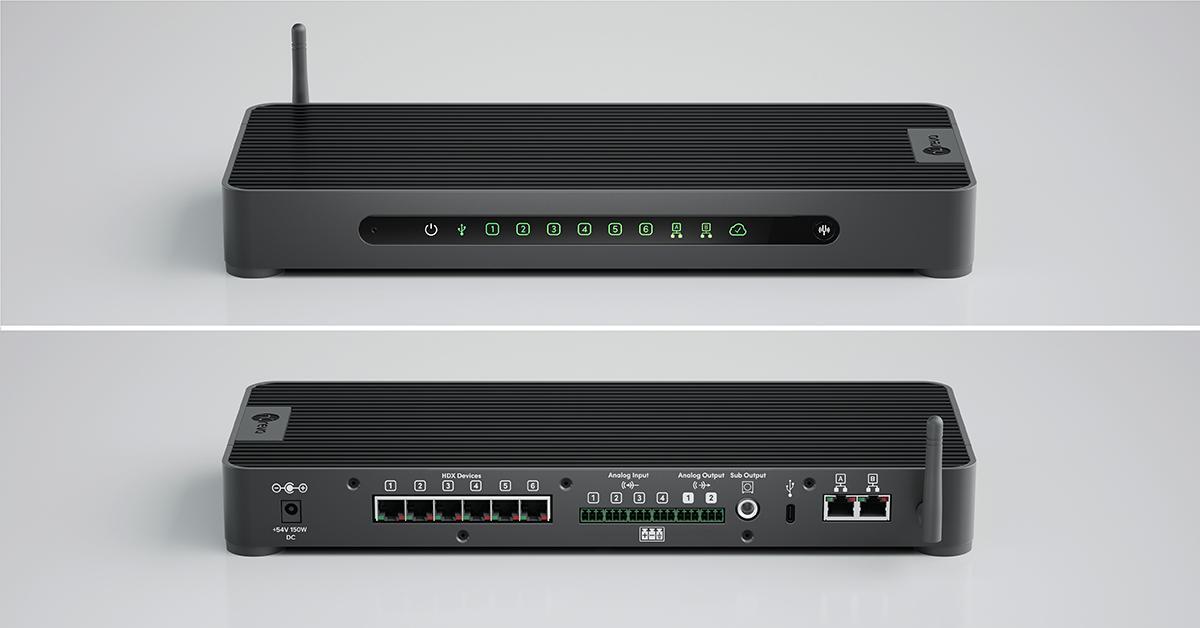
The system hub is the brains of the system, eliminating the need for separate DSPs, amplifiers and Bluetooth transmitters.
Key features
- Connection to audio bars and microphone pods with a single cable that provides both power and data
- Bluetooth audio streaming (future release), Auracast broadcast audio and AV-over-IP connectivity support (future release)
- Intelligent compute features including camera tracking, controller integration and device management
- Passive cooling without fans for quiet operation
- Sleep mode for energy conservation
- Recyclable low-carbon aluminum fabrication
Front panel
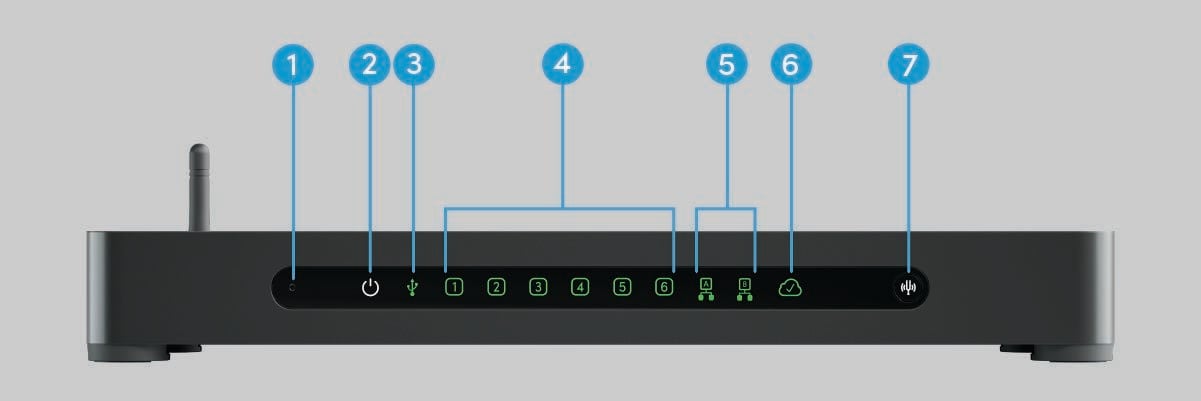
| Function or indicator | Purpose |
| 1. Reset pinhole | Available for resetting the HDX system to factory settings. Device enrollment in Nureva Console is removed. The device password is set to the original code (found on the bottom of the system hub). |
| 2. Power indicator | Shows whether the system hub is powered on. |
| 3. USB indicator | Shows USB connection status with computer or collaboration hub. |
| 4. Port connection indicators | Shows audio bar and microphone pod connection statuses. |
| 5. Network indicators | Shows network connection statuses. |
| 6. Cloud indicator | Shows cloud connection status regarding internet connectivity, communication with Nureva Console cloud and system enrollment. |
| 7. Calibrate button | Available to quickly optimize audio when room setup or furniture placement has changed significantly. |
Back panel
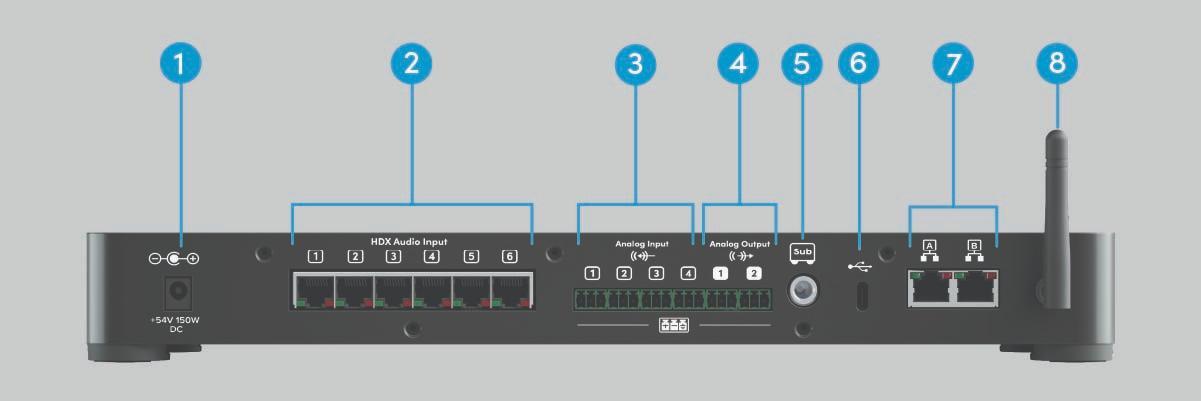
| Connection | Details |
| 1. Power input | Input jack for included power supply. |
| 2. HDX device ports | Six Power-over-Ethernet (RJ45) ports for connections to audio bars (maximum four) and microphone pods (maximum two). |
| 3. Analog audio inputs | Four balanced analog audio input channels, Euroblock 3.5 mm pitch. |
| 4. Analog audio outputs | Two balanced analog audio output channels, Euroblock 3.5 mm pitch. |
| 5. Subwoofer output | Balanced subwoofer connection, ¼" jack. |
| 6. USB 2.0 (Type-C) port | USB connection to computer or collaboration hub. |
| 7. Network ports |
Two connections for Console Direct (cloud-based device management) and the local area network (LAN). Support for 2x2 channels to send or receive audio over the network (future release). Learn more. |
| 8. Bluetooth technology antenna | Antenna for wireless communication with other devices and the Nureva App. Also enables streaming (future release) and transmitting Auracast broadcast audio. |
Audio bar
The audio bar combines speakers and microphones in a single, easy-to-install unit that delivers full-room audio coverage. It supports distributed in-room audio and can be mounted vertically or horizontally.
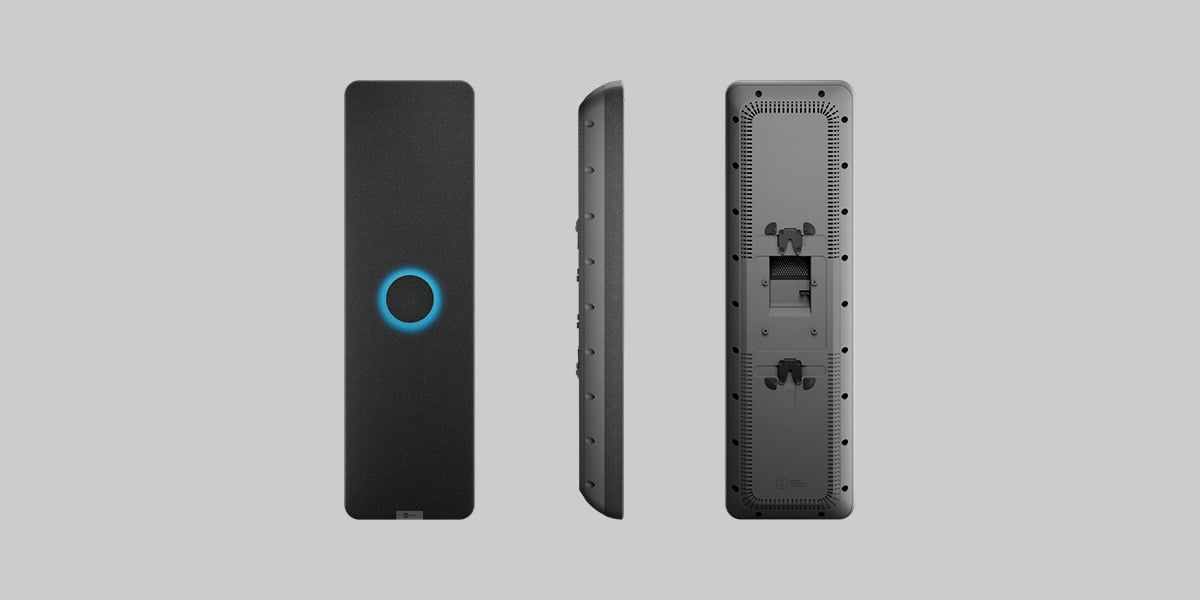
Key features
- Full-range distributed audio in the room and full-room microphone coverage
- Two-way speaker system with tweeter and dual woofer
- Vented speaker enclosure for enhanced low-frequency response
- Acoustically isolated two-dimensional microphone array
- Single Ethernet cable connection to system hub
- Flexible vertical or horizontal installation with included mounting brackets (threaded inserts are also available to support optional VESA® 100 x 100 mm compatible mounting)
- Sustainable materials with recycled plastics
- Sleep mode for energy conservation
- Adjustable lighting intensity, color and size to suit the room’s environment and use
Microphone pod
The microphone pod is a 2D array that supports the HDX system’s Microphone Mist technology for improved full-room coverage. It can be installed on the ceiling or the wall.
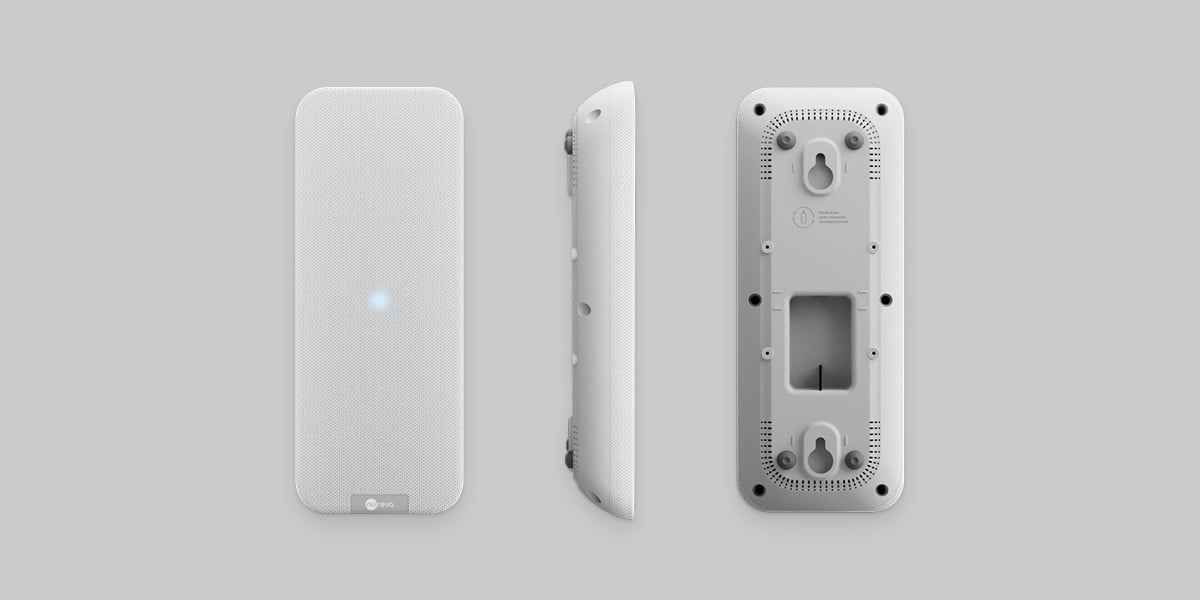
Key features
- Two-dimensional microphone array that supports full-room microphone coverage
- Microphone Mist technology with unified coverage map
- Visual indicators for system status
- Single Ethernet cable connection to system hub
- Flexible installation with included mounting bracket that supports ceiling or wall positioning (threaded inserts are also available to support optional VESA 100 x 100 mm compatible mounting)
- Sustainable materials with recycled plastics
- Sleep mode for energy conservation
Remote
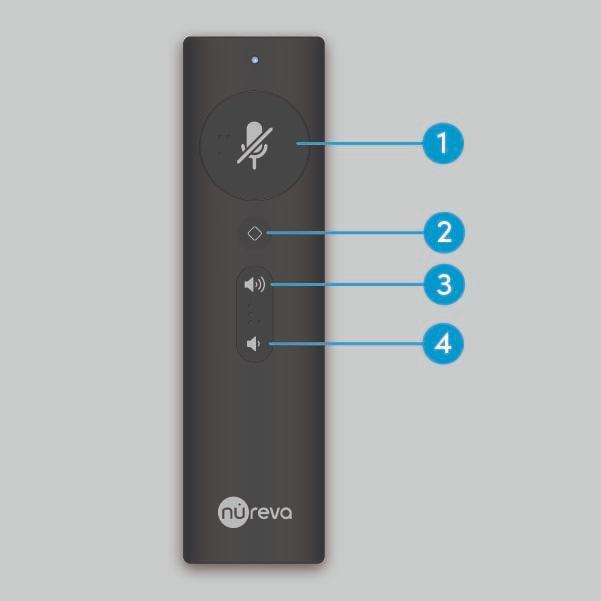
The HDX remote offers quick and convenient control of the system. After the batteries have been inserted, press any button to begin pairing the remote with the system hub. The blue indicator light on the remote will flash while the remote searches for the system hub. It will then remain solid for 2 seconds when the remote is paired and ready to use.
| Button | Function |
| 1. Mute and unmute | Mute or unmute microphone pickup |
| 2. Customizable button | Configure in the Nureva App |
| 3. Volume up | Increase the in-room speaker volume |
| 4. Volume down | Decrease the in-room speaker volume |
Choose your HDX configuration
Answer a few simple questions in the Nureva product selector, and we’ll recommend the best solution for your space and specific needs.

You can also use the guidance below to select the right HDX configuration.
Room considerations
- Room dimensions — Measure the length and width of your room to determine coverage needs.
- Talker location — Note where people speak, the seating and presenter areas and if there’s a front of room.
- Room environment — Consider which physical locations are preferable for the placement of the HDX components.
- Room acoustics — Assess reverberation and background noise to determine the best placement for HDX components. Use the Nureva App for iOS to run an acoustic check with your iPhone® or iPad® device.
Learn more about acoustic check.
Coverage overview
Coverage for each HDX configuration is defined based on the length of the longest wall. For rooms with a more complex geometry, consider selecting a larger configuration or adding microphone pods to ensure optimal coverage.
- Two HDX audio bars — are well suited for rooms up to approximately 30' (9.1 m) in length.
- Four HDX audio bars — support rooms up to approximately 60' (18.3 m) in length.
- Microphone pods — can be added to extend pickup coverage and support advanced features such as Adaptive Voice Lift.
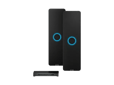
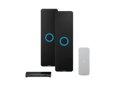
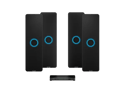
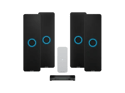
HDX configurations: Supported room sizes and key feature differences
 |
 |
 |
 |
 |
|
| Configuration | 2 bar | 2 bar + 1 pod | 4 bar | 4 bar + 1 pod | 4 bar + 2 pod |
| Max room size | Up to 30' x 30' (9.1 x 9.1 m) |
Up to 35' x 40' (10.7 x 12.2 m) |
Up to 40' x 60' (12.2 x 18.3 m) |
Up to 40' x 60' (12.2 x 18.3 m) |
Up to 40' x 60' (12.2 x 18.3 m) |
| Camera tracking and switching | No | Yes | Yes | Yes | Yes |
| Adaptive Voice Lift | No | No | No | No | Yes |
| 3D sound location data | No | Yes | Yes | Yes | Yes |
HDX features
HDX has comprehensive features to support your various room needs and use cases. These features can be customized in the Nureva App and Nureva Console.
|
Feature |
Description |
|
Full-range distributed audio |
|
|
Speaker EQ |
Adjust the low-, mid- and high-frequency ranges to optimize in‑room sound quality. |
|
Adaptive sound |
Optimizes audio for meetings or media playback by switching between voice-focused conferencing mode and full-range music mode. |
|
Balance |
Adjust the volume for each speaker and set the channel (mono, left or right). |
|
Subwoofer |
Adds low‑frequency depth to improve music and video playback, especially in larger rooms, with your choice of subwoofer. |
|
Full-room microphone coverage |
|
|
Microphone EQ |
Modify the microphone tuning to compensate for room acoustics and adjust the overall microphone gain. |
|
Gain control AI |
Automatically adjusts microphone gain when speech is detected to maintain consistent voice levels for remote participants. |
|
Noise reduction |
Reduces background noise to deliver clearer, more consistent audio. |
|
Calibration |
Calibrate HDX when the room changes significantly to quickly optimize the audio. |
|
Noise suppression AI |
Reduces background noise while keeping voices clear and natural. |
|
Adaptive Voice Lift |
|
|
One-way voice lift BETA |
Ensures presenters in a dedicated zone are clearly heard across a large room. |
|
Full-room voice lift Future release |
Ensures in-room collaborators are clearly heard across large spaces by reducing the perceived distance of the talker, using full-room microphone coverage to detect the talker’s location and optimize loudspeaker levels. |
|
Adaptive Voice Amplification |
|
|
Adaptive Voice Amplification |
Connect up to four external microphones to amplify the voices of instructors and presenters. |
|
Microphone ducking |
When enabled prevents dual audio signals by automatically muting virtual mics when the presenter microphone is active, allowing for simultaneous in-room voice amplification and full-room microphone coverage. |
|
Advanced gain controls |
Fine-tune the in-room and far-end gain separately and make adjustments to the gate threshold. |
|
Audience mute |
Mute HDX microphones so only amplified voices are heard remotely. |
|
Assistive technology |
|
|
Auracast broadcast audio |
Stream audio to multiple devices at once with Bluetooth wireless technology. To enable this feature, ensure the Nureva App is connected to the HDX system through Bluetooth LE. |
|
Lecture capture |
Use Adaptive Voice Amplification and audience mute to prioritize the instructor’s voice for lecture capture, transcription and translation. |
|
Divisible room setup |
|
|
Divisible rooms |
Supports two-way, three-way and four-way divisible room deployments using third-party switches and room control solutions. |
|
HDX built-in divisible room support Future release |
Supports divisible rooms with a single cable and without additional hardware. |
|
Camera automation |
|
|
Coverage map |
Provides a visual layout of the room to support camera automation setup and configuration. |
|
Camera switching |
Use an INOGENI® CAM230 multi-camera selector to switch camera inputs automatically between the zones defined on the coverage map. |
|
Voice detection AI |
Identifies human voices and ignores background noise to improve automated camera switching. |
|
System settings |
|
|
Network |
View and update network settings and select a network port. |
|
Bluetooth LE |
Enable and disable features that use Bluetooth wireless technology, like the remote control and Auracast broadcast audio. |
|
Device password |
Set a new device password that will be used to access the device through the Nureva App. |
|
Device control |
Adjust basic HDX system settings by using a virtual remote control. |
|
Low power mode |
Reduces power usage by automatically putting the device to sleep after a period of inactivity. |
|
Device lights |
Adjust lighting and brightness settings. |
|
Device sounds |
Choose which system sounds are enabled. |
Configure and manage
HDX systems can be managed locally and intelligently monitored from anywhere in the world. You will need the code (XXX-XXX-XXX) on the bottom of the system hub, which will be the password when connecting to the Nureva App and the enrollment code when connecting to Nureva Console.
What is the difference between the Nureva App and Nureva Console?
| Nureva App | Nureva Console |
| Local management tool for setting up, customizing and optimizing Nureva devices | Cloud-based platform for monitoring and managing multiple Nureva devices remotely |
| Useful for day-to-day configuration | Ideal for IT teams managing devices across locations |
| Available for iOS, Android, Windows and web | Supported on Windows® computers, macOS® computers, iOS devices and Android™ devices |
| No account required | Requires setting up an account |
What is Nureva Pro and what do you get with it?
Nureva Pro is our service plan that helps keep your rooms running smoothly with expanded support, advance hardware replacement and enhanced analytics.
Two years of coverage are included. You can extend coverage by up to 3 years (for up to 5 years in total) within 90 days of purchasing your HDX system.
Nureva App
The Nureva App makes it simple to set up, optimize and customize your HDX system.
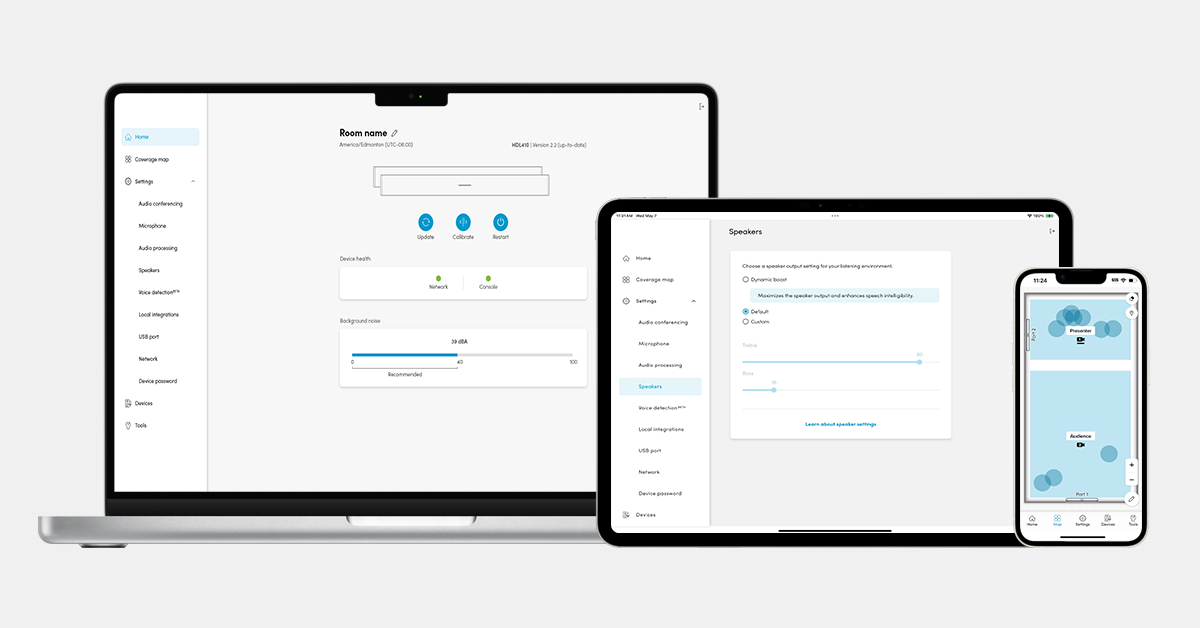




No, there’s no need to create an account to use the Nureva App.
You can connect your HDX system to the Nureva App in a variety of ways:
IP over USB — Connect the HDX system to a computer using a USB cable. Open a browser and enter 169.254.253.253. Learn more.
LAN connection — Connect the HDX system to your local network. Enter its IP address into the iOS or Android app or into a web browser to access the web app. Learn more.
Nureva App for Windows — Connect the HDX system to a Windows computer using a USB cable. Download and install the Nureva App for Windows and launch the app. Learn more.
- Update, calibrate and restart the HDX system
- Create room profiles to configure up to three distinct setups with customized zones for automated camera switching
- View sound location data in real time
- Access settings and controls including speaker EQ, microphone settings and noise suppression
- Configure Auracast assistive listening
- Configure the customizable button on the remote
- Perform a network check, set up a device, reset audio settings, restart a device and download logs
- Perform a sound check to get a user-friendly score on the quality of the room acoustics
- View room acoustic measurements, including background noise, reverberation and speech intelligibility (iOS only)
Nureva Console
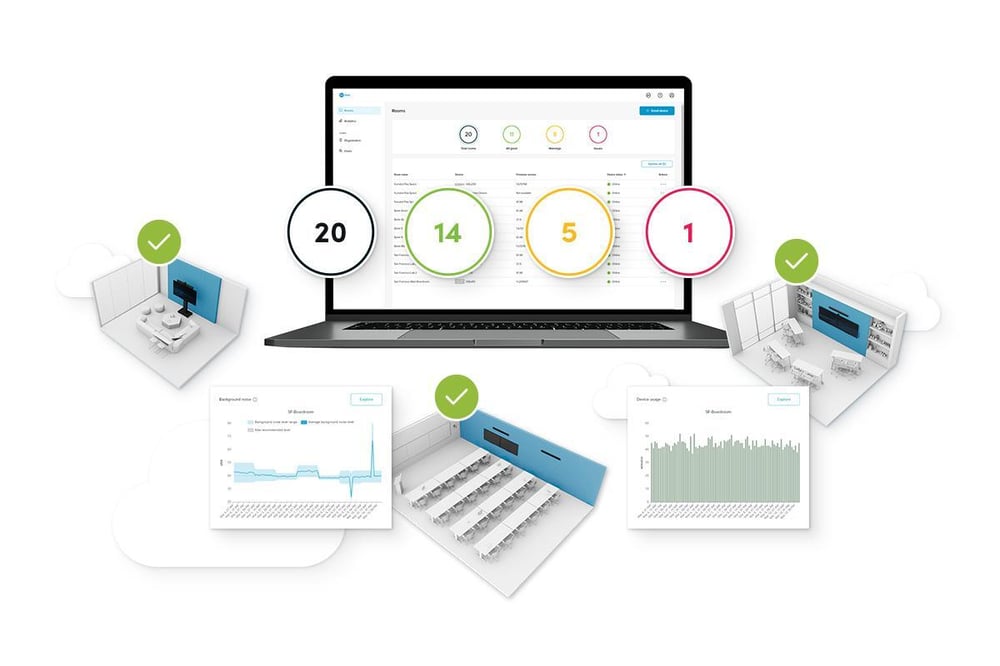
Nureva Console makes it easy to manage and monitor your HDX system from anywhere.
 |
|
Yes, Nureva Console is a secure, cloud-based platform. Your data is protected and no additional servers are required to manage it.
To connect to your HDX device, use the code on the bottom of the system hub (format XXX-XXX-XXX) as:
- The password when connecting through the Nureva App
- The enrollment code when adding the device to Nureva Console
Microphones
10 low-noise omnidirectional MEMS Frequency response of 100 Hz to 10 kHz
Speakers
2 x 4" neodymium driver
30 W RMS and 60 W max
1 x 1" teteron dome tweeter
10 W RMS and 20 W max
Frequency range of 120 Hz to 20 kHz
Built-in amplifier and crossover
Vented speaker enclosure for enhanced low-frequency response
Connections
RJ45 — for connection to system hub
Product dimensions
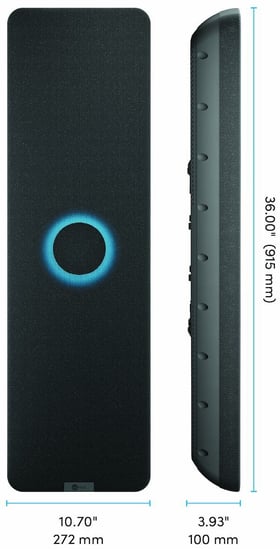
Width: 10.70" (272 mm)
Height: 36.00" (915 mm)
Depth: 3.93" (100 mm)
Weight (without bracket): 16.3 lb. (7.4 kg)
Weight (with bracket): 17.4 lb. (7.9 kg)
Shipping dimensions
Width: 14.25" (362 mm)
Height: 8.74" (222 mm)
Depth: 38.66" (982 mm)
Weight: 22.5 lb. (10.2 kg)
Includes
Audio bar
Mounting bracket
Documentation
Warranty
Audio bar — standard 2-year limited hardware
Accessories and cables — 30 days
Extended warranty available with purchase of Nureva Pro extension
Part numbers
Black: HDX-BAR-B
White: HDX-BAR-W
Nureva Pro extension (1 year): NP-1Y
Nureva Pro extension (2 years): NP-2Y
Nureva Pro extension (3 years): NP-3Y
Microphone pod
Microphones
10 low-noise omnidirectional MEMS
Frequency response of 100 Hz to 10 kHz
Connections
RJ45 — for connection to system hub
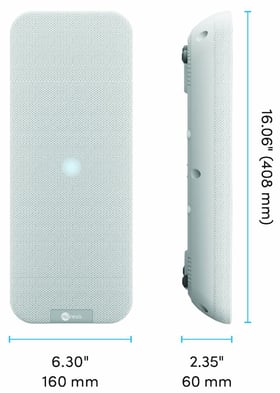
Product dimensions
Width: 6.30" (160 mm)
Height: 16.06" (408 mm)
Depth: 2.35" (60 mm)
Weight (without bracket): 2.4 lb. (1.1 kg)
Weight (with bracket): 3.6 lb. (1.6 kg)
Shipping dimensions
Width: 14.96" (380 mm)
Height: 8.66" (220 mm)
Depth: 18.74" (476 mm)
Weight: 7.9 lb. (3.6 kg)
Includes
Microphone pod
Mounting bracket
2 T-bar clips
Documentation
Warranty
Microphone pod — standard 2-year limited hardware
Accessories and cables — 30 days
Extended warranty available with purchase of Nureva Pro extension
Part numbers
White: HDX-POD
Nureva Pro extension (1 year): NP-1Y
Nureva Pro extension (2 years): NP-2Y
Nureva Pro extension (3 years): NP-3Y
System hub
Connections
6 connections to audio bars and microphone pods, RJ45
USB 2.0 interface to computer or collaboration hub, Type-C
Input jack for power supply
2 connections for Console Direct and LAN, RJ45
4 analog audio input channels, balanced, Euroblock 3.5 mm pitch
2 analog audio output channels, balanced, Euroblock 3.5 mm pitch
Subwoofer connection, balanced, ¼" jack
Bluetooth LE technology radio antenna
Integrated Auracast transmitter
Includes
System hub
Mounting bracket
Country-specific power cable
Power supply adapter
USB-C to USB-A cable
6 Euroblock connectors
Bluetooth antenna
Wireless remote
Documentation
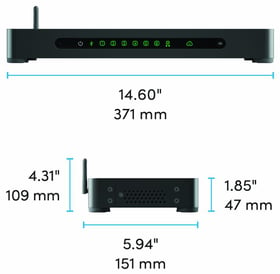
Product dimensions
Width: 14.60" (371 mm)
Height (antenna up): 4.31" (109 mm)
Height (antenna down): 1.85" (47 mm)
Depth: 5.94" (151 mm)
Weight: 4.6 lb. (2.1 kg)
Shipping dimensions
Width: 14.96" (380 mm)
Height: 5.63" (143 mm)
Depth: 22.44" (570 mm)
Weight: 10.4 lb. (4.7 kg)
Warranty
System hub — standard 2-year limited hardware
Accessories and cables — 30 days
Extended warranty available with purchase of Nureva Pro extension
Part numbers
Black: HDX-HUB
Nureva Pro extension (1 year): NP-1Y
Nureva Pro extension (2 years): NP-2Y
Nureva Pro extension (3 years): NP-3Y
BIM and CAD files
Access ready-to-use BIM and CAD design files for all Nureva HDX components, including DXF CAD drawings and Revit® RFA files for room design and coordination. Browse design files.