Software & services / Nureva App
Deploy quickly
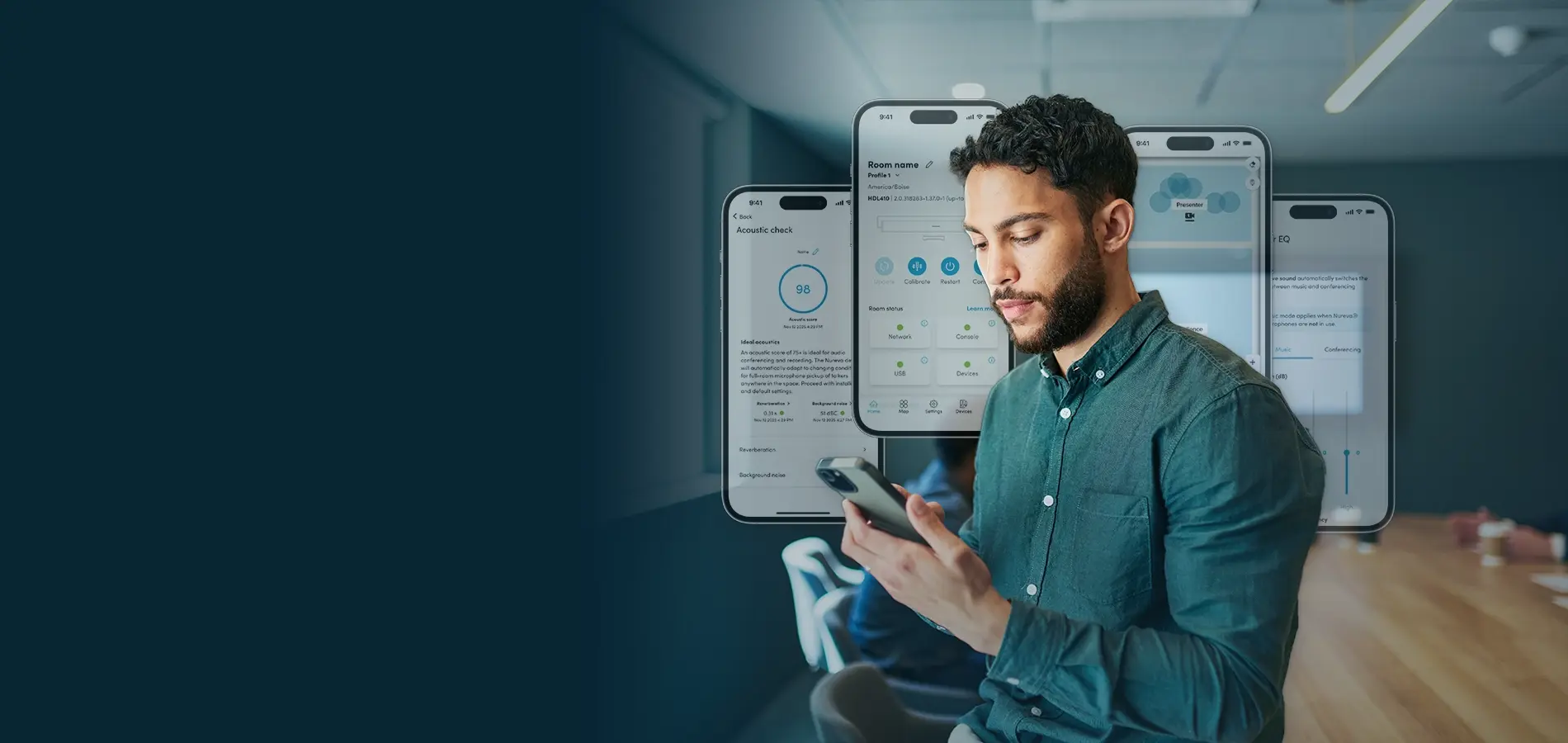
Nureva® App
Set up, configure and control your Nureva system — without DSP programming
From design to use
Four steps. No complex programming.
Plan your system placement, install hardware, optimize performance and configure advanced features from one app.
Install and update
Follow a guided walk-through to set up your system. Then calibrate the system by pressing the button in the app. Next, run an update so you know you have the latest features.
Customize and maintain
Use IT-friendly tools to optimize audio settings, create room profiles and set up camera switching if your room requires it. Later, you can adjust your systems at scale with Nureva Console.
Control
Turn the Nureva App into an easy-to-use room controller for your users. Meeting participants, instructors and trainers can use basic audio settings like volume and restart — without accessing other settings.
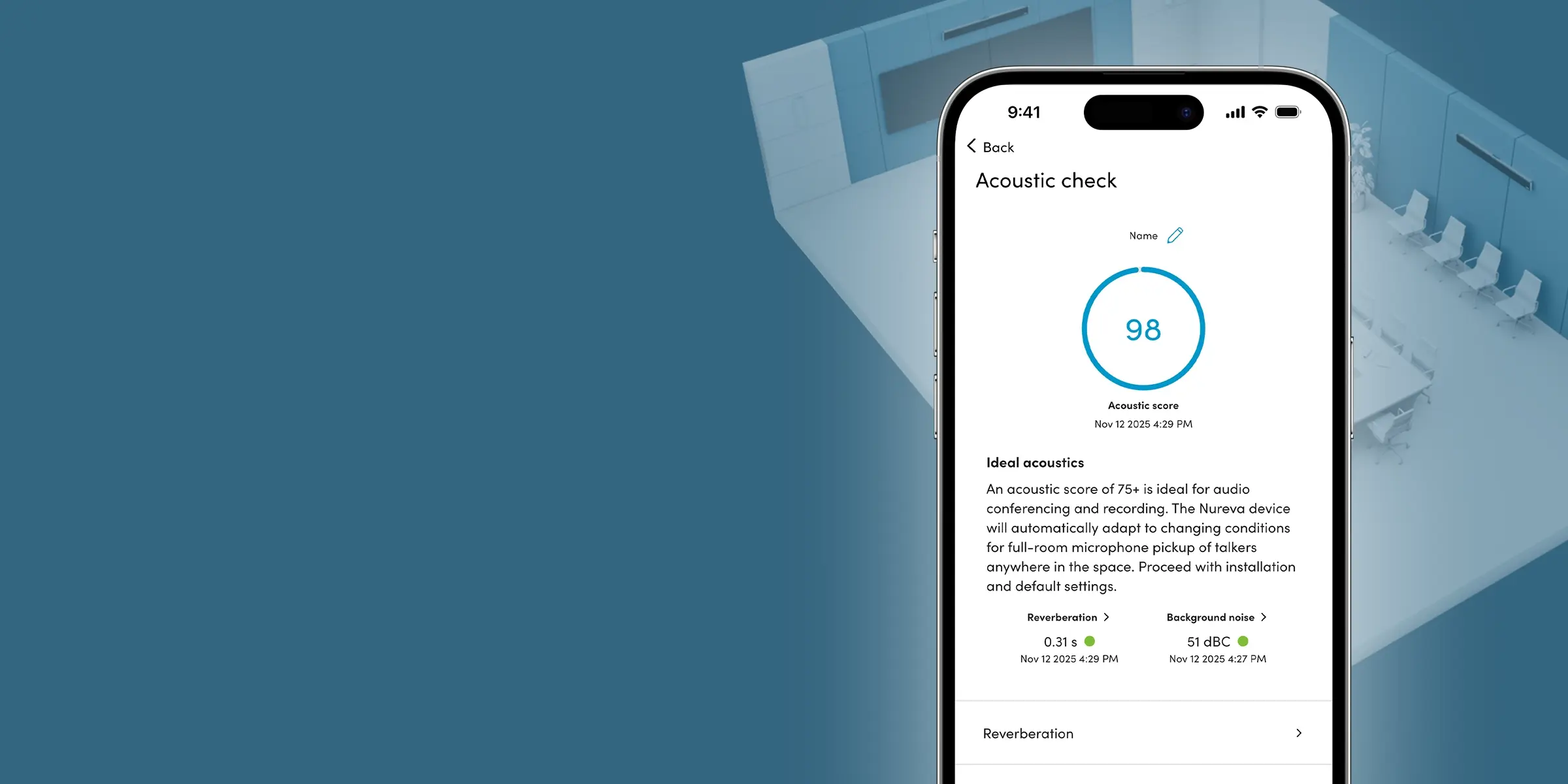
Acoustic check
Use your iPhone® or iPad® device before system installation to identify possible acoustic issues and create the best listening experience for remote participants.
This free tool makes it easy to measure both the background noise level and reverberation time. It then combines the results to provide an acoustic score that predicts audio performance in each location.
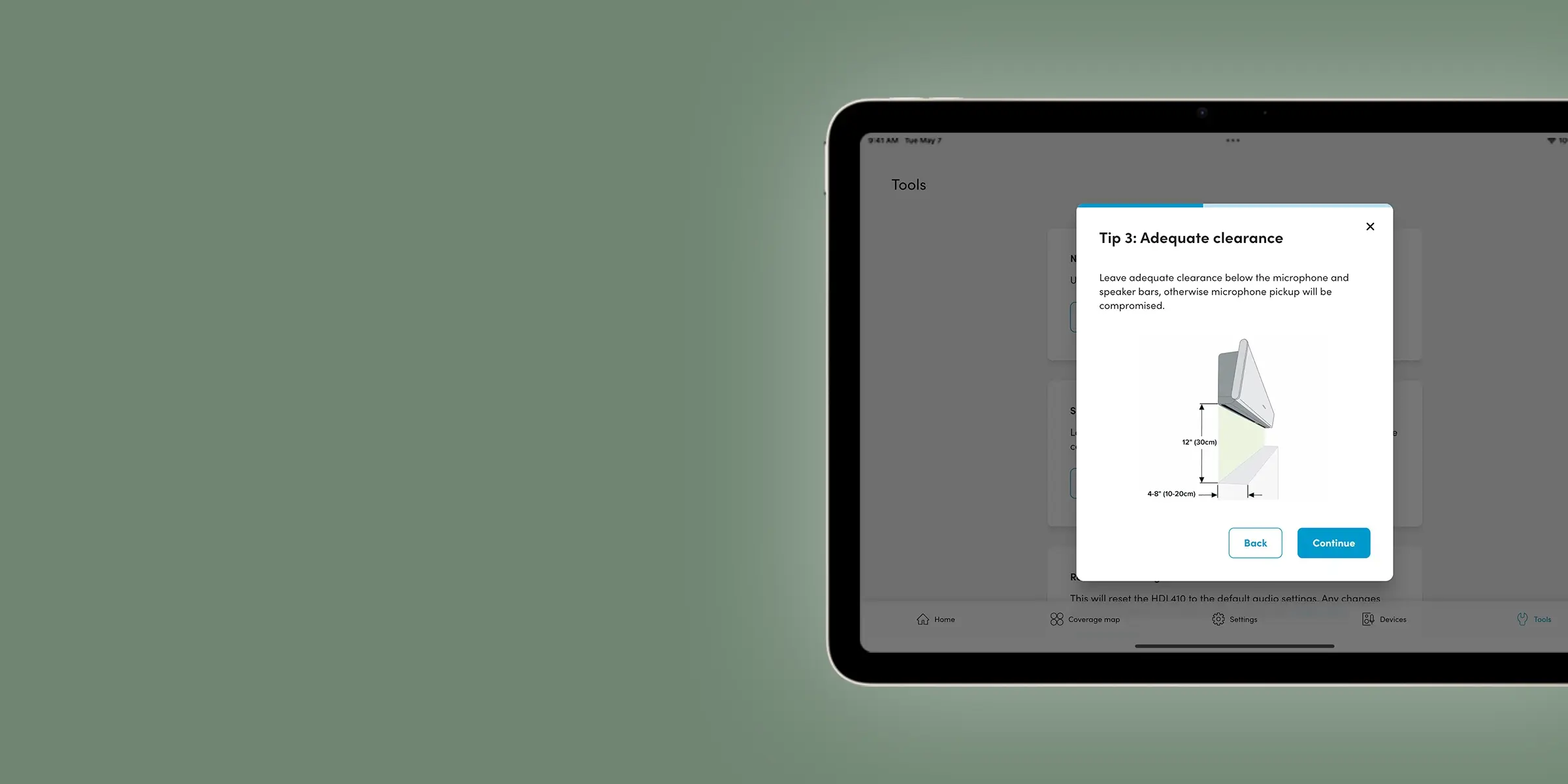
Streamline setup
Install your audio system quickly with tools designed to get rooms operational faster with minimal downtime.
Our device setup gives you a comprehensive walk-through that offers key installation tips — including mounting requirements — and a how-to video. You can also check the mic pickup in real time with our live coverage map.
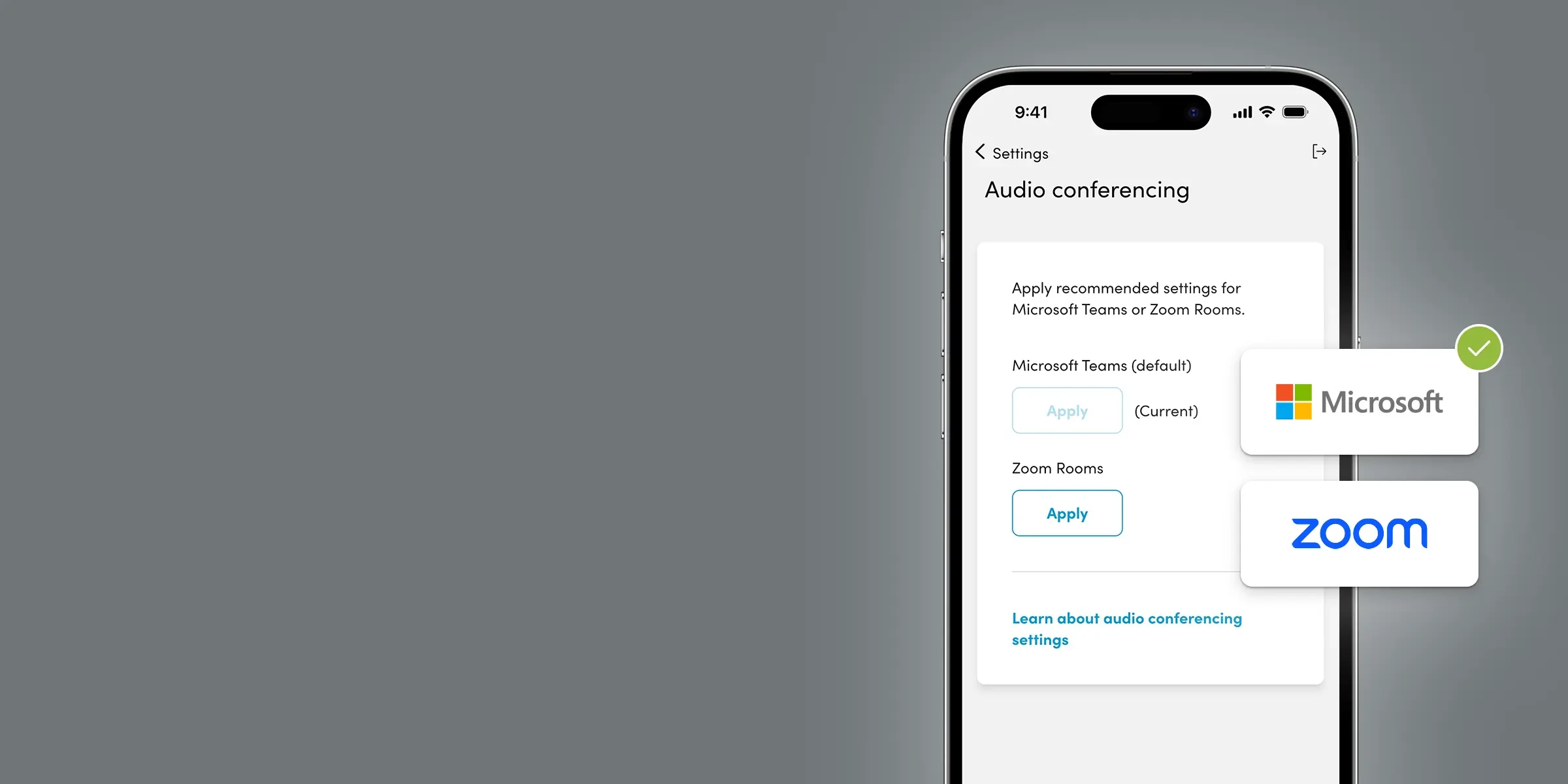
Customize and optimize
Apply settings and controls that let you get the most out of your audio system. You won’t need any DSP programming expertise.
You can optimize for Teams or Zoom, adjust speaker settings, turn on Adaptive Voice Amplification and more. And if you need to adjust the settings again, you can do it from the app or Nureva Console without lengthy room downtime.
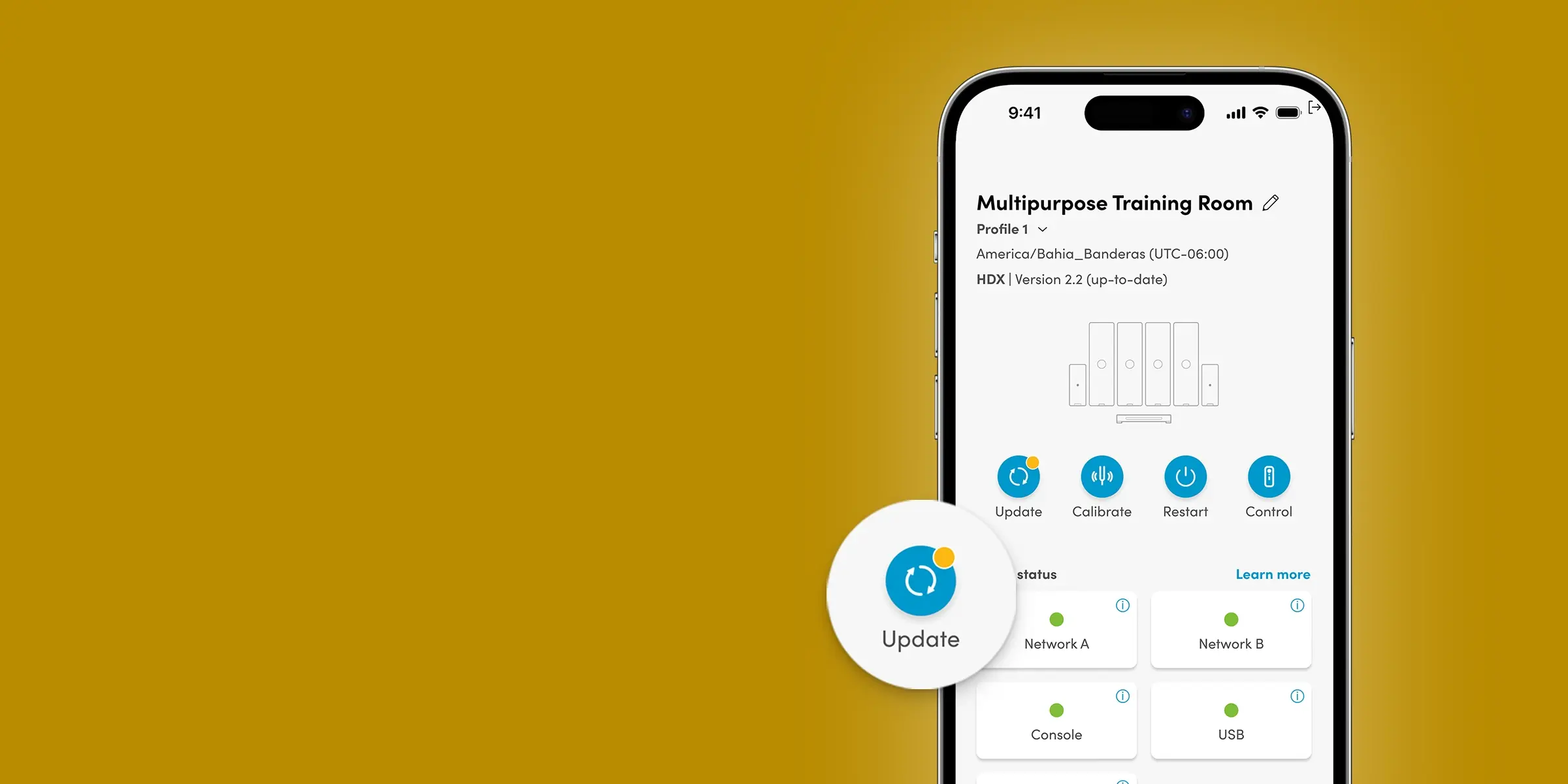
Stay up-to-date
Update your device with a single click, without having to put it on your network.
Nureva audio systems are designed to continually add new features without the need for new hardware. The product you buy today will only get better with time.
Automate camera switching
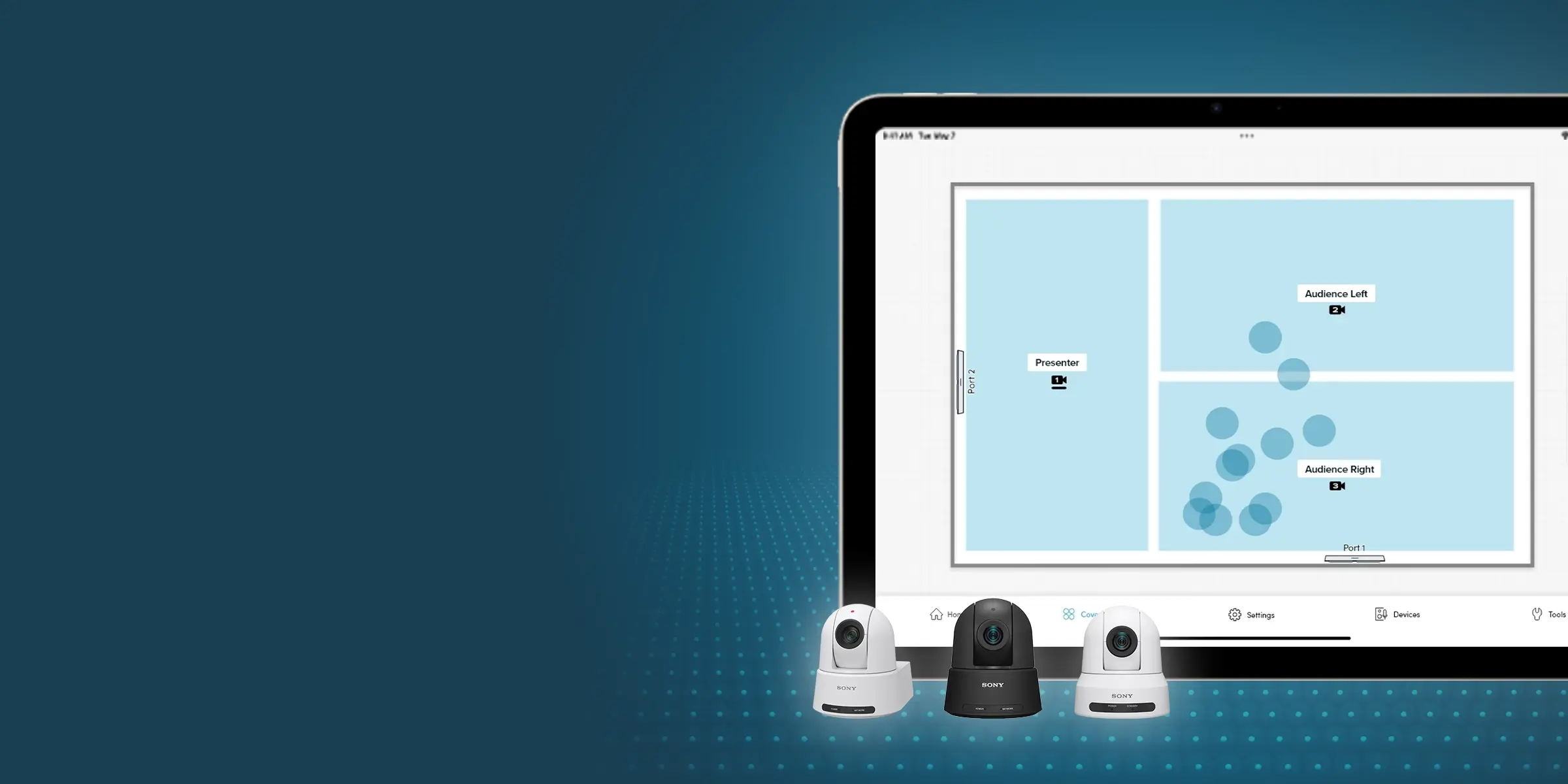
Make camera switching in larger rooms simple and effective, thanks to sound location data and voice detection AI.
You can use the Nureva App to set up to three camera zones in a room. Our sound location data activates the camera that’s mapped to the zone where someone is speaking. AI-enabled voice detection reduces false triggers so remote participants always get the right view.
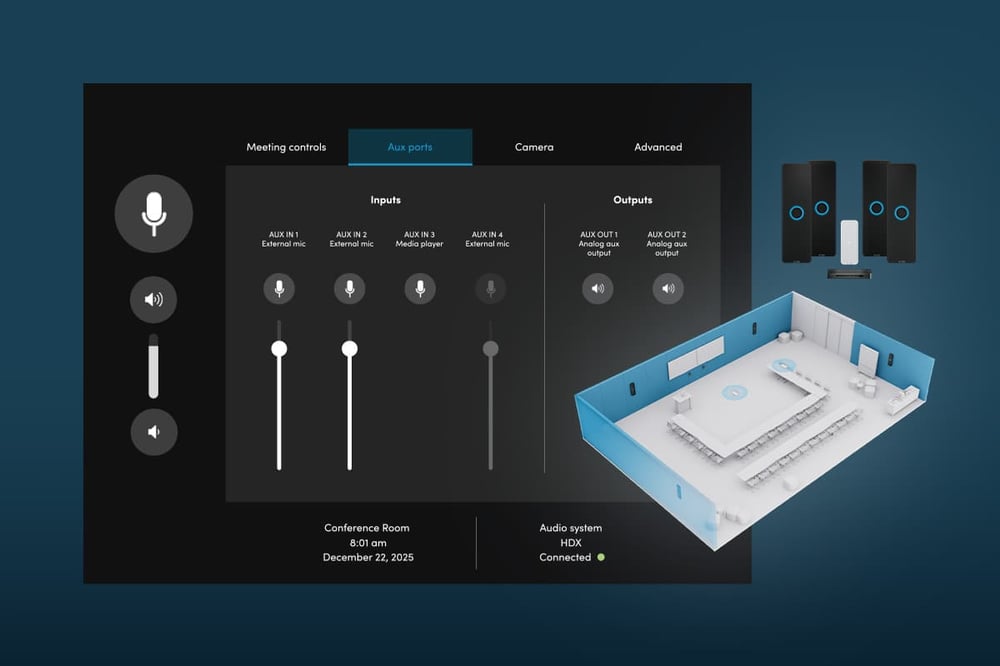
Full feature list
Every Nureva App feature explained
Get the details on what the app delivers and what’s available for each type of Nureva audio system.
| Feature | |
|---|---|
|
Acoustic check HDL310 HDL410 HDX |
Use an iPhone or iPad device to get an acoustic score for different locations in your room before installing your system on the wall. |
|
Room control HDL310 HDL410 HDX |
Allow users to adjust basic audio settings without giving them access to other app features. |
|
Adaptive Voice Amplification HDL310 HDL410 HDX |
Add an external headset, lavalier, gooseneck or omnidirectional mic and set up Adaptive Voice Amplification. |
|
Adaptive Voice Lift (beta) HDX |
Switch on to subtly boost a speaker’s voice in the room without the need for wearable or handheld mics. |
|
Auracast™ broadcast audio (beta) HDX |
Set up Auracast broadcast audio to add assistive listening support. |
|
Coverage map HDL310 HDL410 HDX |
See sound events in real time to better understand the microphone pickup in your room. |
|
Calibration All systems |
Press a button to quickly calibrate your system. Nureva audio also features continuous autocalibration. |
|
Device setup tool HDL310 HDL410 |
Follow a helpful guide when installing and configuring your audio system. |
|
Device restart All systems |
Restart your audio system with one click. |
|
Device updates All systems |
Easily update your Nureva audio system with a single click of a button. |
|
Room profiles HDL310 HDL410 HDX |
Create room profiles to configure up to three distinct meeting or classroom setups for a single space, each with customized zones and camera switching settings. |
|
Room status All systems |
Check your room status including connectivity and background noise levels at a glance. |
|
Adaptive sound HDX |
Adjust the gain for music or conferencing with speaker EQ settings. Music mode automatically applies when microphones are not in use. |
|
Audio processing settings All systems |
Adjust echo reduction and noise reduction settings or calibrate your device. |
|
Dynamic boost HDL310 HDL410 |
Choose a stronger speaker output for noisier spaces and improve the intelligibility of audio from a variety of sources. |
|
Microphone settings HDL310 HDL410 HDX |
Adjust the gain with the microphone EQ settings. |
|
Noise suppression AI HDX |
Reduce pickup of disruptive room noises such as keyboard typing, paper rustling and chair movement. |
|
Other system settings HDX |
Adjust lighting and brightness and set device sound preferences. |
|
Speaker balance HDX |
Fine-tune the proportional value of the speakers in each audio bar. |
|
Teams and Zoom audio settings HDL310 HDL410 HDX |
Easily apply recommended settings for Teams Rooms and Zoom Rooms. |
|
Camera integrations HDL310 HDL410 |
Set up tracking and switching with a variety of camera brands. |
|
Camera zones HDL310 HDL410 HDX |
Create up to three zones to automate switching using any brand of USB or HDMI camera. |
|
Voice detection AI HDL310 HDL410 HDX |
Improve camera switching with an AI-enabled algorithm that better differentiates between human voices and background sounds. |
|
Device info HDL310 HDL410 HDX |
Find information such as the MAC address, IP address and enrollment code, plus add third-party devices to your system. |
|
Network HDL310 HDL410 HDX |
Set a static or dynamic IP address for your device. |
|
Troubleshooting All systems |
Download logs, confirm your network connection or contact support. |
|
USB port HDL310 HDL410 HDX |
Select the USB speed that matches your host computer or device. |
Swipe the table to see all columns
Room control
Give users control. Protect settings.
Room control gives meeting participants, instructors and trainers easy access to basic audio settings — without the need for a dedicated controller. They can:
- Adjust volume and mute
- Control external mics and audience mute
- Restart and calibrate the system
- Access Adaptive Voice Lift controls (beta)
Users have access to these room controls only, and not advanced configuration settings, so your setup stays secure.

How to access
Options to fit every IT preference and policy
Install the app — or don’t. Use a phone, tablet or computer. The Nureva App gives you the tools you need, the way you need them.
Mobile app
Download the app on your iOS or Android™ phone or tablet. You’ll always have the Nureva App on hand when you need it.
Browser access over LAN
Access the web app over your local area network (LAN) by entering your device’s IP address into any browser. There’s nothing to download.
Ethernet connection
Connect an Ethernet cable from an HDL310 or HDL410 system directly to your phone, tablet or computer. This works when network access is restricted but Ethernet connection is allowed.
USB for Windows
Connect your Nureva device to a Windows® computer using a USB cable. Best for the HDL200 system and scenarios where your device is not on the network.
Bluetooth® LE
Connect your HDX system to your mobile device over Bluetooth wireless technology. There’s no need for an internet connection.
Future release
Resources
Dive deeper into Nureva audio
Find videos, guides, product help and other resources to save you time.
FAQs
The Nureva App is a setup and configuration application for Nureva audio systems. It provides tools for acoustic testing, installation, audio configuration, camera switching, room control and device updates.
No. The Nureva App is designed for IT teams and AV professionals who want advanced audio controls without programming a DSP. Configuration is handled through intuitive tools and settings.
Yes. The Nureva App is included with all Nureva audio systems at no additional cost.
Yes. Depending on the system and access method, the Nureva App can be used over a local network, direct Ethernet connection or USB connection without continuous internet access.
No. The Nureva App can be accessed locally without creating a Nureva account.
The Nureva App can be used with all HDL and HDX audio systems. Available features vary by model.
You can access the Nureva App through:
- A web browser on a local network
- The iOS app
- The Android app
- A direct Ethernet connection
- USB connection for supported Windows deployments
- Bluetooth wireless technology
Yes. The Nureva App is available for iOS and Android devices and can also be accessed through a web browser.
Acoustic check is a tool in the Nureva App that measures background noise and reverberation in a room. It generates an acoustic score that helps predict audio performance before installation.
Yes. In the Nureva App, administrators can create camera zones and use sound location data and voice detection AI to automate camera switching with USB or HDMI cameras of any brand.
Yes. Room control provides access to basic audio functions such as volume, mute and microphone controls while preventing access to advanced administrative settings in the app.
Device updates can be initiated directly from the Nureva App. Updates add new features and improvements without requiring new hardware.
The web version of the Nureva App can be accessed through Chrome™ and Safari® browsers using the device’s IP address on a local network.
The Nureva App is designed primarily for setup and local configuration of Nureva audio systems. For fleet management, monitoring, analytics and remote administration across multiple rooms, use Nureva Console.
The Nureva App is used for local setup and configuration of Nureva audio systems. Nureva Console is used for remote management, monitoring and analytics across multiple rooms.
INCLUDED
What you get with every audio system
No add-on software. No complex programming. Two years of our service plan at no extra cost.
Software
Included with every HDX and HDL system.
Nureva App — Device setup tools, audio settings and one-click updates
Nureva Console — Remote management and intelligent monitoring at scale
Nureva Developer Toolkit — IT-friendly APIs plus pre-built integrations
Ongoing updates — New features added to your systems at no extra cost
Services
Two-year Nureva Pro service plan included. Extend by up to 3 extra years at time of purchase.
Live support — Access to knowledgeable experts 20 hours a day (5 days a week)
Advance hardware replacement — Units shipped to you the next business day
Enhanced analytics — Up to 12 months of data available
Standard warranty
Two-year limited warranty on HDX audio bar, HDX microphone pod, HDX system hub, HDL microphone and speaker bar and HDL connect module.
Extended warranty
Up to 3 extra years of warranty, for up to 5 years in total, when you purchase Nureva Pro at time of audio system purchase.
Other warranties
30-day warranty on accessories and cables.
*Price represents the manufacturer’s recommended selling price, in US currency, where offered for sale by Nureva and its authorized distributors and resellers. Price excludes applicable taxes and shipping. Resellers may sell for a different price. Resellers may charge additional administration and installation fees, which may vary by reseller. Please contact your local reseller or Nureva Inc. for a detailed quote. Equipment, specifications and price are subject to change without notice.