
Posted by Nureva on Sep 1, 2026, 3:27:40 PM
When equipping a meeting room for audio conferencing, the unified communications (UC) platform and audio hardware to support it are two separate purchasing decisions — and the second one is often an afterthought. That’s why organizations that deploy Microsoft® Teams, Zoom, Cisco Webex® and other UC platforms can still end up with remote participants struggling to clearly hear the people in the room. UC platforms manage the calls well, but effective mic pickup requires the right audio conferencing system.
TL;DR: Audio conferencing with unified communications platforms
Here are some key things to know about how UC platforms and audio conferencing hardware work together:
- UC platforms consolidate voice, video, messaging and file sharing into a single cloud-delivered interface, but getting the best audio quality in a meeting room or classroom requires separate hardware.
- Integrated audio conferencing solutions are room-based microphone and speaker systems that connect to UC platforms via USB, with no separate DSPs or specialized setup required.
- When choosing an audio conferencing system, key factors include room coverage area, UC platform certification status and IT management requirements.
- Nureva® audio systems connect to all leading UC platforms via USB, with the HDL310 and HDL410 certified for large and extra-large Microsoft Teams Rooms and Zoom Rooms.
What is a UC platform?
A unified communications (UC) platform integrates multiple enterprise communication services into a single interface: voice calling, video meetings, messaging, presence and file sharing. Rather than managing separate tools for each channel, organizations use a UC platform to consolidate communication and enable teams to move between channels without switching applications.
UC platforms are often delivered as cloud-based services, a model known as UCaaS (unified communications as a service). The major platforms in this category include Microsoft Teams, Zoom, Cisco Webex and Google Meet™.
What UC platforms do not include is room audio hardware. The microphones and speakers that capture and project sound in a physical meeting room or classroom are separate components that connect to the UC platform, typically via USB. A decision on the right audio hardware for each room must be made in addition to the right UC platform.
Why audio quality matters in UC
Poor audio quality is a consistent barrier to effective hybrid meetings and it disproportionately affects remote participants. When someone joins a call remotely, their experience of the room largely depends on what the in-room microphone system captures. Background noise, incomplete pickup at the edges of a room and echo all reduce clarity in ways that in-room participants may not notice.
Audio clarity also determines how well AI-powered features in UC platforms perform. Transcription, live captions, automated meeting summaries and tools like Microsoft Copilot Intelligent Recap and Zoom AI Companion all depend on a clean, consistent audio signal as input. When the signal is degraded, the accuracy of the AI output declines accordingly.
Organizations investing in these features need room audio hardware that can reliably deliver the input quality those tools require.
How does audio connect to UC platforms?
Room-based audio conferencing hardware typically connects to UC platforms via USB. With Nureva audio systems, a microphone and speaker bar connects to an in-room PC, collaboration hub, conferencing appliance or laptop using a USB cable, and the UC platform detects it as a standard USB audio device. No additional drivers, software or digital signal processors (DSPs) are required for the connection itself.
Some portable and personal devices, such as wireless headsets and speakerphones designed for individual use, connect with UC platforms via Bluetooth® wireless technology instead. Bluetooth technology is practical for mobile setups but is generally not used for fixed room audio systems, where a wired USB connection provides a more reliable and consistent signal.
Some fixed systems also include a separate network connection for device management. The Nureva HDL310 and HDL410 systems include a connect module with an Ethernet port that provides access to Nureva Console, a cloud-based management platform. This connection to Nureva Console runs independently from the UC platform connection and does not affect how the system integrates with Teams, Zoom or other UC applications.
The USB approach differs significantly from traditional pro AV installations, which often require DSP programming, ceiling-mounted microphone arrays and a multiday setup by specialist technicians.
What does UC certification mean?
UC platform certification indicates that an audio device has been tested and approved by the platform vendor against defined performance standards for room-based deployments. Certified devices have passed evaluation by Microsoft (for Teams Rooms) and Zoom (for Zoom Rooms), confirming they meet requirements for audio quality, echo cancellation and interoperability with room control systems.
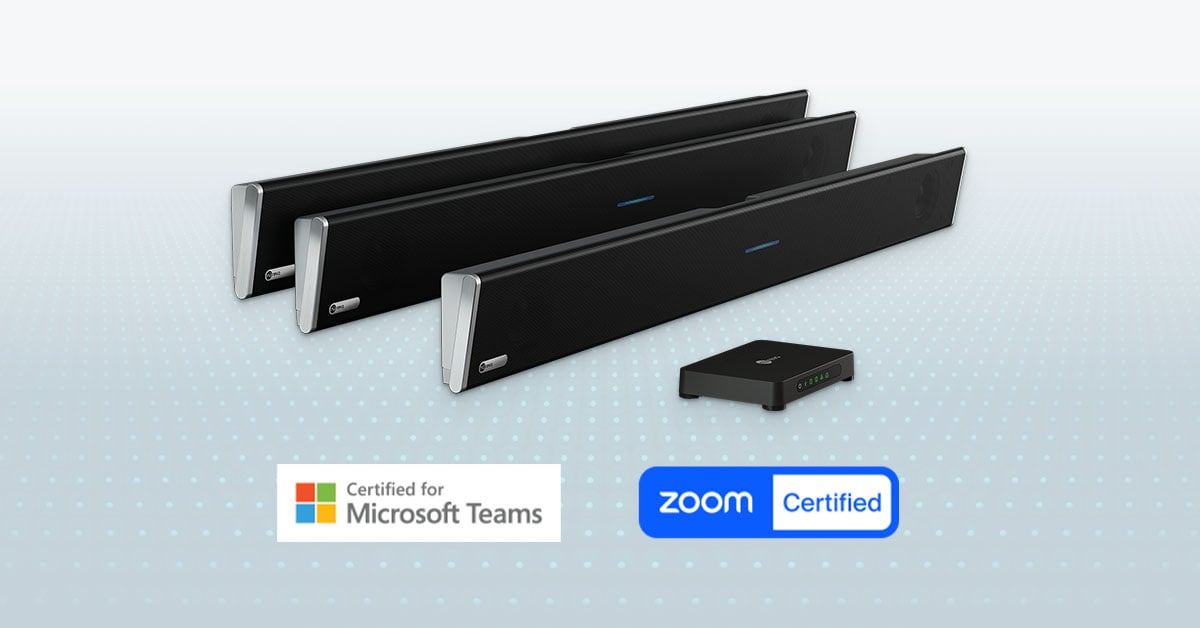
A compatible device connects to a UC platform via USB and functions as an audio input and output, but it has not undergone that vendor testing. Compatible devices work with all platforms that accept USB audio input. Certified devices carry the added confidence of vendor validation for a specific deployment context.
The distinction matters most for IT teams deploying dedicated conference rooms at scale. Certified hardware reduces validation effort and support overhead because the platform vendor has already confirmed the device meets its performance standards.
| UC platform | Certification type | Nureva integrated system |
| Microsoft Teams | Certified for large Teams Rooms (up to 30' x 30' or 9.1 x 9.1 m) and extra-large Teams Rooms (up to 35' x 55' or 10.7 x 16.8 m) | HDL310 and HDL410 |
| Zoom | Certified for large Zoom Rooms (up to 30' x 30' or 9.1 x 9.1 m) and extra-large Zoom Rooms (up to 35' x 55' or 10.7 x 16.8 m) in the Pro Audio Devices category | HDL310 and HDL410 |
| Leading UC platforms | USB plug and play compatible (Microsoft Teams, Zoom, Google Meet, Cisco Webex, GoTo Meeting, RingCentral, BlueJeans and Lifesize) | HDL200, HDL310, HDL410 and HDX series |
The HDL310 and HDL410 systems are among only a few integrated microphone and speaker bar solutions certified for large and extra-large Microsoft Teams Rooms and Zoom Rooms. All Nureva systems connect via USB to any platform that supports USB audio, including Google Meet, Cisco Webex, GoTo Meeting, RingCentral, BlueJeans and Lifesize.
Key features to look for in UC audio
Selecting audio conferencing hardware for a UC environment involves evaluating capabilities beyond basic microphone and speaker functionality. Three areas are especially relevant for IT teams deploying audio across meeting rooms and classrooms.
1. Full-room microphone pickup
Full-room pickup means consistent audio capture from any position in the space — not only from seats near a physical microphone. In larger rooms, participants at the back, the sides or in front of a display are often beyond the effective range of traditional microphone systems.
Nureva’s Microphone Mist™ technology fills a room with thousands of virtual microphones that pick up voices across the entire space. Coverage does not depend on where participants sit or face.

2. Continuous autocalibration
Continuous autocalibration means the system automatically adjusts to changes in the room’s acoustic environment, such as furniture position, the number of people present or partition walls in a divisible room. With manually calibrated systems, any of these changes can degrade audio quality until a technician recalibrates the space.
Nureva systems calibrate at setup and continue adjusting throughout use. In divisible rooms, the system automatically adapts when walls are opened or closed, requiring no manual intervention.
3. Cloud-based device management
For organizations managing audio across multiple rooms, cloud-based management tools reduce the time required for monitoring, updates and troubleshooting. Rather than visiting each room to update devices or make configuration changes, IT administrators can manage the entire fleet remotely.
Nureva Console provides this capability via a secure Ethernet connection on the connect module. Room status, device updates, analytics and settings are all accessible remotely, with no dedicated in-room PC required.
Audio conferencing in large rooms
Large and extra-large meeting rooms and classrooms present the most significant audio challenge in UC deployments. Traditional solutions for these spaces require specialist installation, multiple ceiling microphones, DSP programming and ongoing calibration. Cost and complexity increase with room size.
The Microphone Mist technology at the core of each Nureva audio system takes a different approach. Rather than pointing microphones at expected speaker positions, the system fills the entire room with thousands of virtual microphones. Coverage is consistent regardless of room layout or where participants choose to sit.
The Nureva HDL series covers a range of large spaces. The HDL310 system handles rooms up to 30' x 30' (9.1 x 9.1 m) and can be installed in as little as 30 minutes. The HDL410 system extends coverage to extra-large rooms up to 35' x 55' (10.7 x 16.8 m) with installation in approximately 60 minutes.
How to choose UC audio equipment
Choosing audio conferencing hardware for a UC environment comes down to five practical considerations:
- Room size. Measure the space before selecting a system. Audio systems are engineered for specific coverage areas, and a mismatch results in inconsistent pickup across the room.
- UC platform in use. Confirm which platforms the audio hardware needs to support. Most USB audio systems are compatible with all major UC platforms, but dedicated room deployments benefit from certified hardware.
- Certification requirement. Check your organization’s specific needs. For dedicated Teams Rooms or Zoom Rooms, certified devices reduce validation effort. For general UC deployments or BYOD configurations, USB-compatible devices are sufficient.
- IT management at scale. Consider how your team will manage deployments. For organizations with multiple rooms, prioritize hardware that supports remote monitoring, device updates and configuration without site visits.
- Installation constraints. Confirm whether in-house IT staff can handle installation within the available room downtime window. Systems that require no DSP and no specialized tools reduce both cost and scheduling complexity.
Nureva audio for UC environments
Nureva audio systems make it straightforward to equip any UC environment with reliable full-room audio. The HDL310 and HDL410 are two of only a few integrated microphone and speaker bar solutions certified for large and extra-large Microsoft Teams Rooms and Zoom Rooms, and every Nureva system connects via USB to all leading UC platforms with no additional hardware, drivers or DSPs required.
Whether you are standardizing audio across a campus, outfitting a new office or upgrading aging equipment, a Nureva audio expert can help you identify the right solution for your spaces. Contact Nureva to request an on-site evaluation or connect with an expert.
Frequently asked questions
Do Nureva audio systems work with all UC platforms?
Nureva audio systems connect via USB to any UC platform that supports USB audio, with plug and play compatibility across Microsoft Teams, Zoom, Google Meet, Cisco Webex, GoTo Meeting, RingCentral, BlueJeans and Lifesize. The HDL310 and HDL410 systems are additionally certified for large and extra-large Microsoft Teams Rooms and Zoom Rooms, meeting the performance requirements those programs define for room-based deployments. All Nureva systems require no additional drivers, software or DSPs for UC platform connections.
What is the difference between a certified and compatible UC audio device?
A compatible audio device connects to a UC platform via USB and functions as an audio input/output without undergoing vendor testing for room deployment. A certified device has been evaluated by the platform vendor (Microsoft or Zoom, for example) and confirmed to meet defined performance standards for Teams Rooms or Zoom Rooms deployments, including audio quality thresholds, echo cancellation performance and interoperability with room control systems. Certification reduces validation effort for IT teams deploying audio at scale.
What room sizes do Nureva audio systems support for UC deployments?
The Nureva HDL200 system covers medium spaces up to 18' x 18' (5.5 x 5.5 m) and offers plug and play compatibility with all leading UC platforms. The HDL310 system covers large rooms up to 30' x 30' (9.1 x 9.1 m) and is certified for large Microsoft Teams Rooms and Zoom Rooms. The HDL410 system covers extra-large spaces up to 35' x 55' (10.7 x 16.8 m) and is certified for extra-large Teams Rooms and Zoom Rooms. The HDX series extends coverage to spaces up to 40' x 60' (12.2 x 18.3 m).
Does a Nureva audio system require a DSP or additional hardware for UC?
Nureva audio systems do not require a separate digital signal processor (DSP), dedicated software, additional speakers or specialized installation tools. All signal processing is handled within the system itself. The HDL310 and HDL410 systems connect to an in-room PC, collaboration hub, conferencing appliance or laptop via USB. Cloud-based device management is available through Nureva Console via an Ethernet port on the connect module, with no dedicated in-room PC required.
How does Nureva audio support AI-powered features in UC platforms?
AI meeting features such as transcription, live captions and automated meeting summaries require a clean, consistent audio signal. Nureva audio systems use Microphone Mist technology to fill a room with thousands of virtual microphones, providing full-room pickup regardless of where participants are seated or moving. This consistent signal quality supports the AI agents built into leading UC platforms, including Microsoft Copilot, Google Gemini™ and Zoom AI Companion.